Multi-model AI workbench
GUKi
Hand one job to a team of models get one finished draft back
Split one task across models that fit, merge a usable draft, and let AI edit local files or servers under your approval.
Windows 10/11 x64 · ~170 MB · in-app auto-update
Before vs after
Six real capabilities
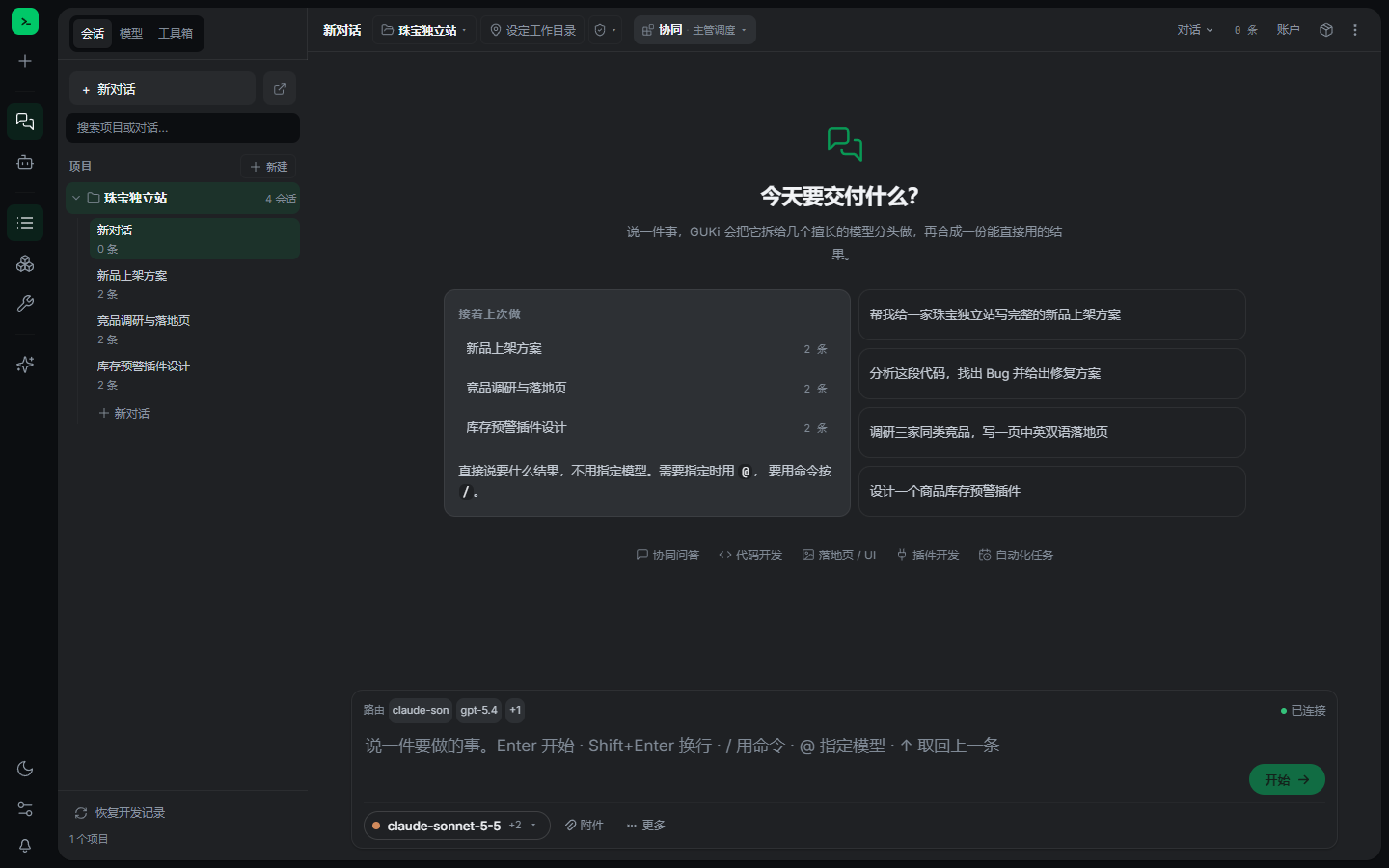
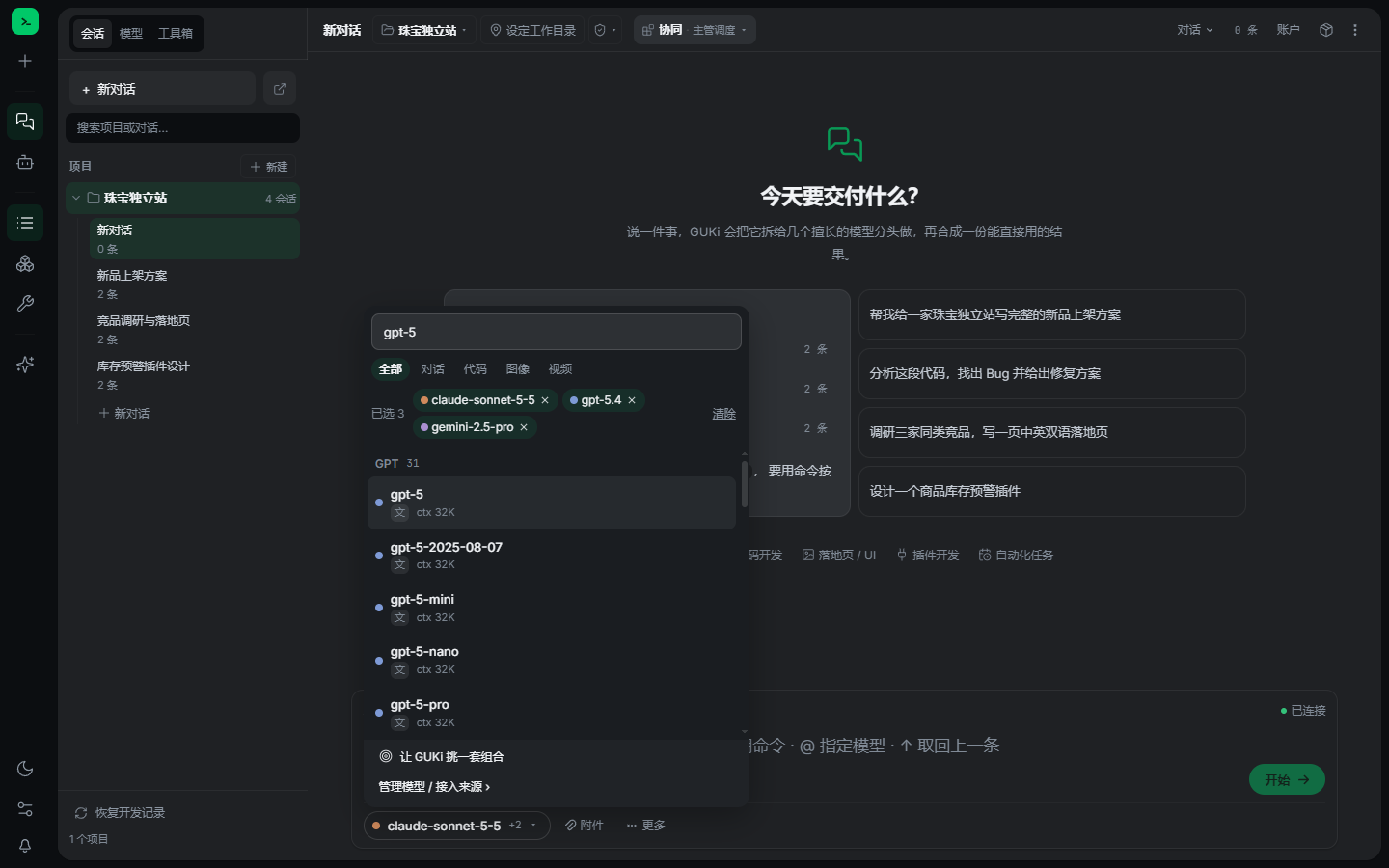
Multi-model collab
Split work across models, merge a draft; capsule picker by family, search, multi-select; “let GUKi pick a set”.
Agent that acts
Read/write local folders, SSH servers; plan first, you approve; self-heal before asking; pause if you’re away, resume later.
You stay in control
Three permission levels; servers can be read-only / confirm / deny; undo each round.
Local-first & key safety
Chats stay on your machine; keys in the OS credential store; secrets in configs become placeholders before the model sees them.
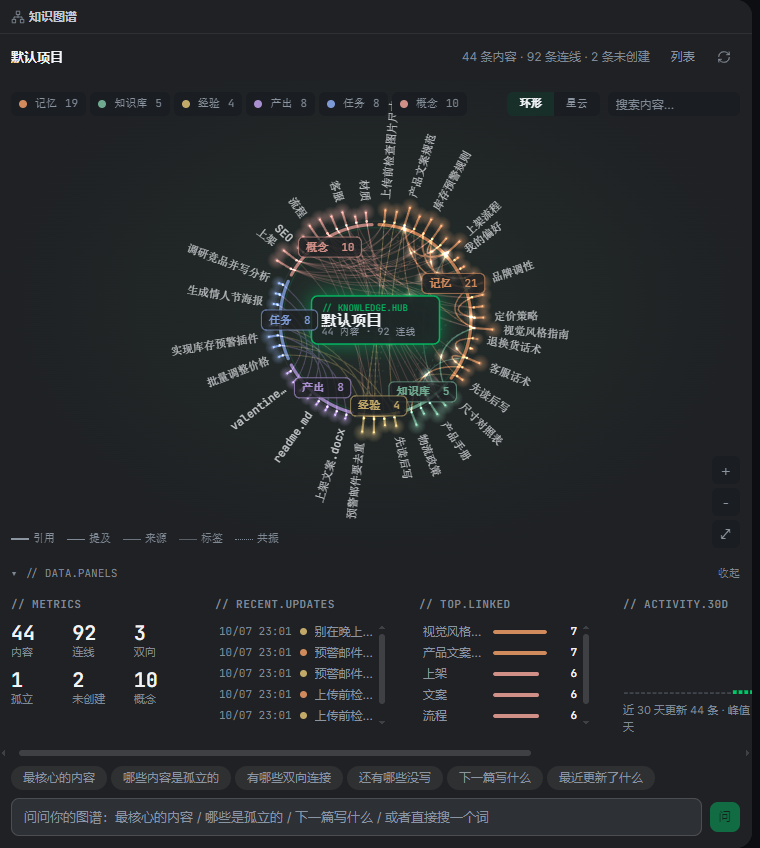
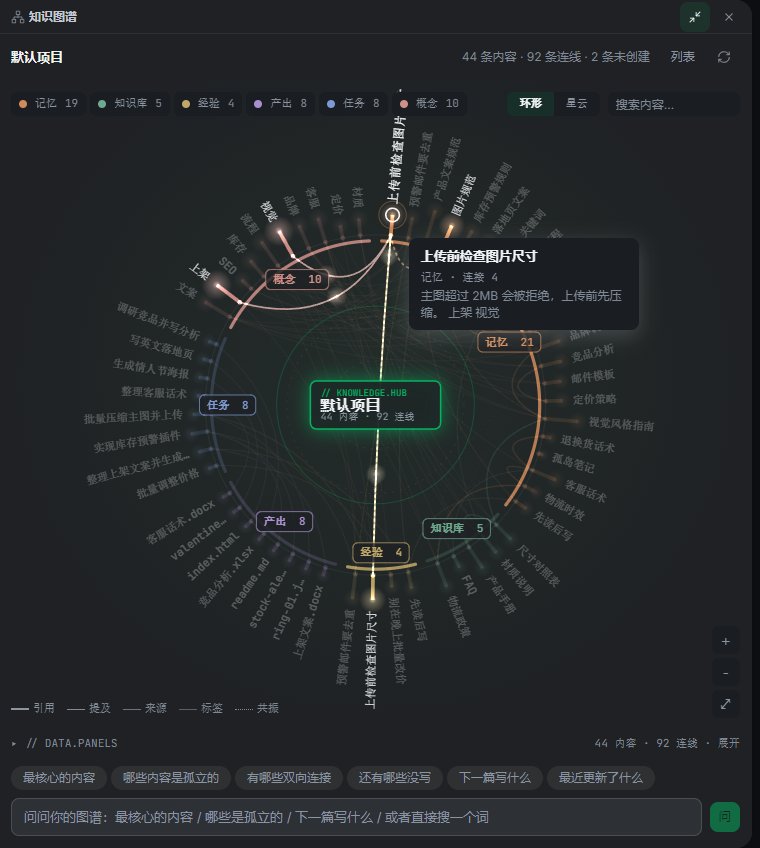
Memory that grows
Project memory, knowledge base, lessons learned; a graph that only draws real links.
Code & web, live
Streaming layout, code cards, live web preview (desktop/tablet/phone), console errors → “fix with AI”.
Interface
Three steps
Say the job
Describe the goal; pick models or let GUKi choose.
Models work in parallel
Every step visible: plan, tools, streaming output.
Take the draft
Undo or continue; file edits land in a change card.
Trust & control
- ▹Three permission levels
- ▹Windows sandbox for the backend
- ▹API keys in the OS credential store
- ▹Secrets redacted before model calls
- ▹In-app updates are separately signed
Has limits: passwords without key names may slip through. Missing EV/OV ≠ backdoor—it’s a signing-cost choice; this FAQ will change once signed.
Who it’s for
Cross-border store ops
Launch plans, competitor research, landing copy in one pass.
Developers
Read/edit code, preview pages, fix console errors with AI.
Content & research
Parallel drafts from several models into one usable piece.
Server ops
SSH in; approve the plan; optional read-only mode.
How it compares
| Capability | GUKi | Single chat window | Manual multi-AI |
|---|---|---|---|
| Collab | Parallel + merge | Single-thread | You copy-paste |
| Agency | Local files / SSH | Mostly text | Varies by product |
| Undo | One-click round undo | No file-level undo | You back up yourself |
| Data location | Local-first | Often cloud | Scattered |
| Keys | OS store + redaction | Product-dependent | Easy to leak |
FAQ
- Version 0.1.0-beta.26
- Platform Windows 10/11 x64
- Form: desktop app
- License: no paywall yet
- Updates: in-app (signature-checked)
Download for Windows
Start with GUKi
Official: gulingle.cn / dl.gulingle.cn. WeChat, WhatsApp, Telegram also work.
Download for WindowsWindows 10/11 x64 · ~170 MB · in-app auto-update